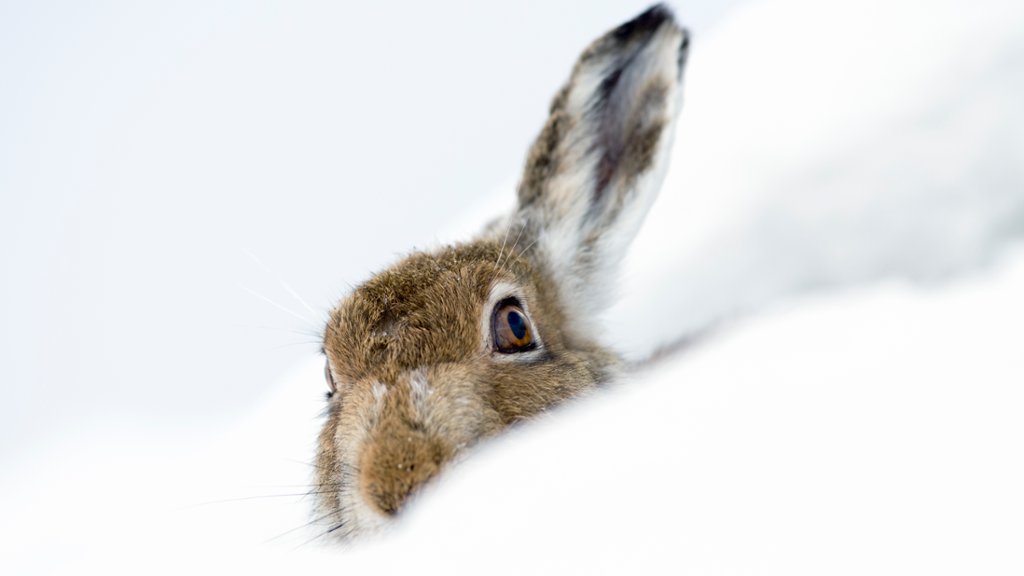
Mountain Hare, Scotland
Sign in to add this photo to your favorites and desktop wallpaper rotation.
The Mountain Hare (Lepus timidus) is a species of hare that is native to Scotland. They are well-adapted to living in the harsh conditions of the Scottish Highlands, with their thick fur coat providing insulation against the cold and camouflage against predators. Mountain Hares are typically found in upland areas, such as moorlands and mountains, where they feed on a diet of grasses, heather, and other vegetation. They are known for their agility and speed, often darting away at high speeds when approached by predators. Mountain Hares are known for their distinctive white winter coat, which helps them blend in with the snowy landscape. In the summer months, their coat turns a darker shade of brown to provide better camouflage against the vegetation. In Scotland, Mountain Hares are a popular species for wildlife enthusiasts and photographers, who come to observe and capture these beautiful creatures in their natural habitat. However, Mountain Hares are also hunted for sport in some areas, which has led to concerns about their population numbers and conservation status. Overall, the Mountain Hare is an iconic species of the Scottish Highlands, known for its beauty, adaptability, and resilience in the face of challenging environmental conditions.