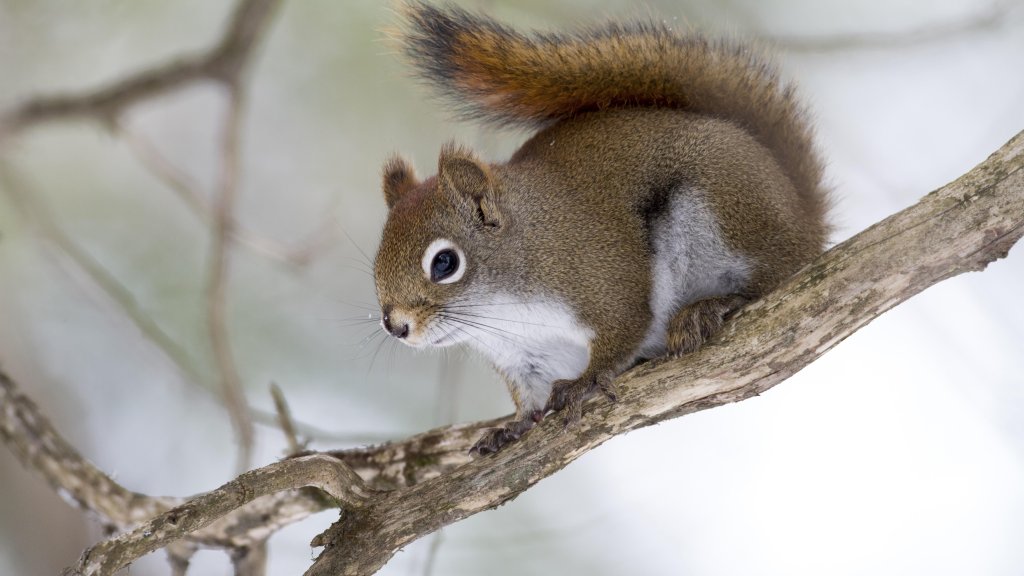
Red Squirrel, Quebec, Canada
Sign in to add this photo to your favorites and desktop wallpaper rotation.
The Red Squirrel, scientifically known as Tamiasciurus hudsonicus, is a small tree squirrel native to North America, including the province of Quebec, Canada. This species is known for its reddish fur, which can vary in shade but typically features a white or cream-colored underbelly. Red squirrels are smaller than the more common Eastern Gray Squirrel, measuring about 28 to 35 centimeters in length, including their bushy tail. In Quebec, the Red Squirrel inhabits a variety of forested environments, including coniferous, mixed, and deciduous forests. They are particularly associated with coniferous forests due to their reliance on seeds from trees like spruce, pine, and fir as a primary food source. These squirrels are highly territorial and are known to defend their territory aggressively against intruders. Red Squirrels are active year-round, although they may be less visible during the harshest winter conditions. They do not hibernate but instead rely on food caches to survive the winter months. These caches can include seeds, nuts, and even fungi, which they store in various locations within their territory. The species is known for its vocal nature, using a range of calls and sounds to communicate, especially when warning others of potential threats. Their vocalizations can include rattles, screeches, and chirps. In terms of reproduction, Red Squirrels typically have two breeding seasons per year, one in late winter and another in midsummer. After a gestation period of about 31 to 35 days, females give birth to a litter of 3 to 7 young, which are weaned after about 8 weeks. Red Squirrels play an important ecological role in their habitats, contributing to seed dispersal and forest regeneration. They are also a prey species for various predators, including birds of prey, foxes, and martens. Despite their small size, Red Squirrels are an integral part of the forest ecosystems in Quebec and across their range.