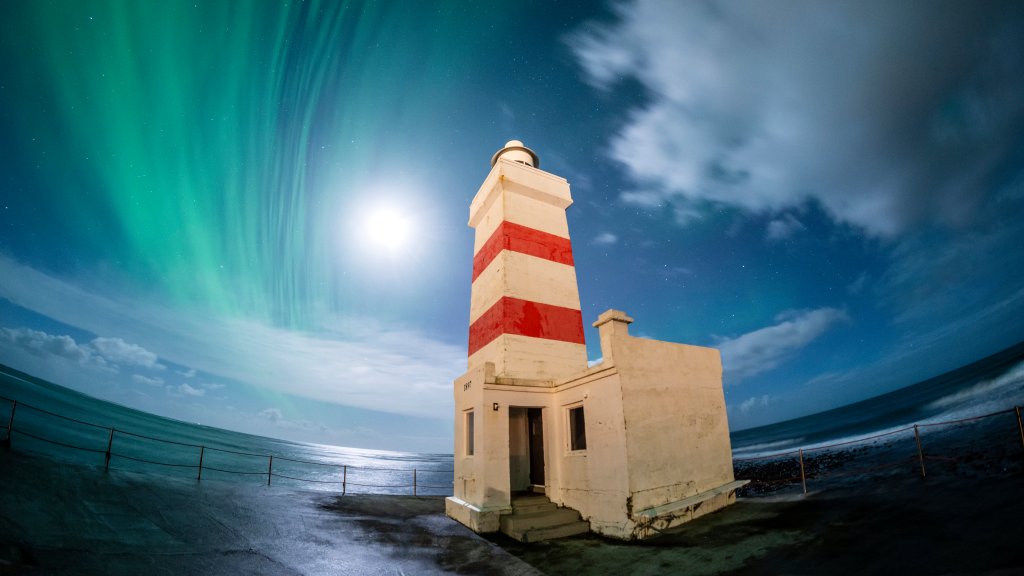
Aurora Borealis, Garour Lighthouse, Iceland
Sign in to add this photo to your favorites and desktop wallpaper rotation.
Aurora Borealis, commonly known as the Northern Lights, is a natural light display predominantly seen in high-latitude regions around the Arctic and Antarctic. In Iceland, the phenomenon is particularly spectacular due to the country's location near the Arctic Circle, offering numerous opportunities to witness this mesmerizing display of colorful lights dancing across the night sky. Garðskagaviti, often referred to as Garður Lighthouse, is situated on the Reykjanes Peninsula in southwestern Iceland. It is a popular spot for both locals and tourists to observe the Northern Lights. The lighthouse area provides a relatively unobstructed view of the sky, making it an ideal location for aurora watching. The surrounding landscape, with its rugged coastline and open spaces, enhances the experience of viewing the auroras. The lighthouse itself is a historic structure, with the original lighthouse built in 1897 and the current one dating back to 1944. It serves as a beacon for ships navigating the waters of Faxaflói Bay. The area around Garður Lighthouse is also known for its birdwatching opportunities and scenic views, making it a versatile destination for nature enthusiasts. Visitors to Garður Lighthouse during the aurora season, which typically runs from late September to early April, can enjoy the natural beauty of the Northern Lights along with the serene coastal environment. It is advisable to check the aurora forecast and weather conditions before planning a visit to maximize the chances of witnessing this extraordinary natural phenomenon.