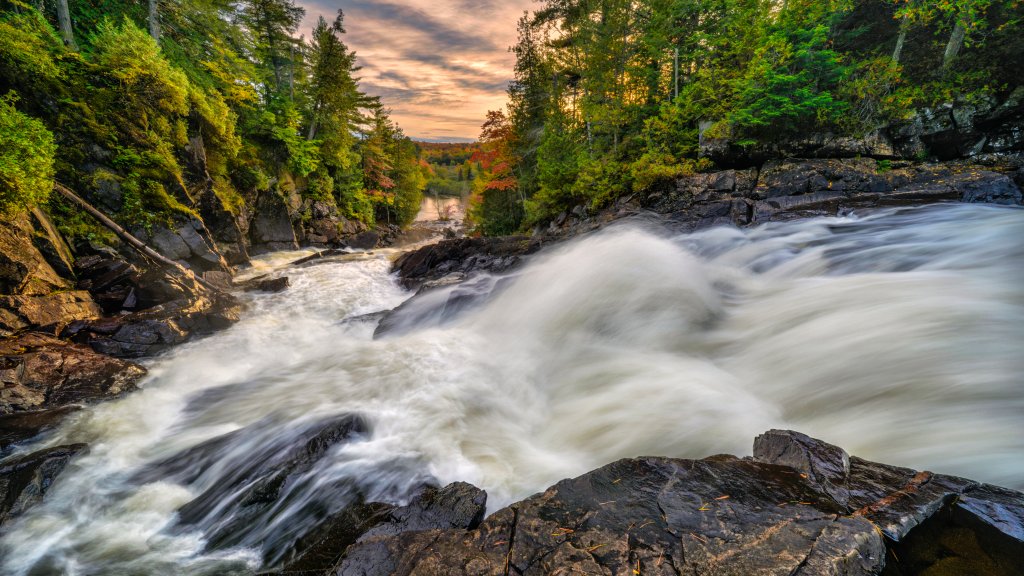
Oxtongue River, Ontario, Canada
Sign in to add this photo to your favorites and desktop wallpaper rotation.
The Oxtongue River is a picturesque waterway located in the province of Ontario, Canada. It is situated in the Muskoka and Haliburton regions, flowing through a landscape characterized by dense forests, rocky outcrops, and scenic vistas. The river is a popular destination for outdoor enthusiasts, offering a range of recreational activities such as canoeing, kayaking, fishing, and hiking. The river originates from Oxtongue Lake and meanders through several smaller lakes and rapids before eventually joining the larger Lake of Bays. Along its course, the river passes through the Oxtongue River-Ragged Falls Provincial Park, which is renowned for its stunning Ragged Falls. These falls are a major attraction, drawing visitors who come to enjoy the natural beauty and tranquility of the area. The surrounding region is rich in wildlife, with opportunities to spot various species of birds, mammals, and aquatic life. The Oxtongue River area is also known for its vibrant fall foliage, making it a popular spot for photographers and nature lovers during the autumn months. In addition to its natural attractions, the river and its surroundings have a rich cultural history, with indigenous peoples having inhabited the area for thousands of years. Today, the Oxtongue River continues to be a cherished natural resource, offering a peaceful retreat for those looking to escape the hustle and bustle of urban life.