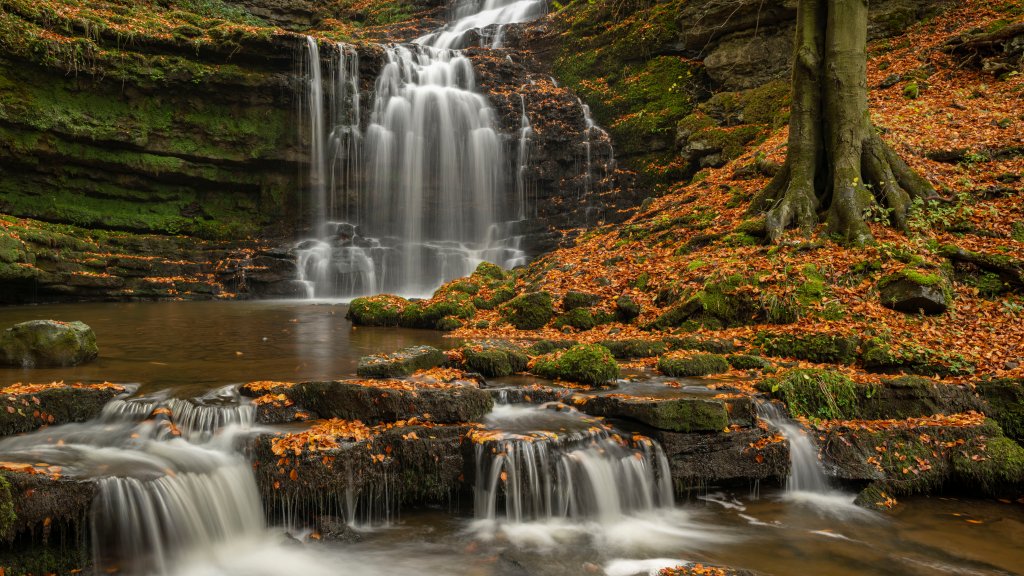
Scaleber Force Waterfall, Yorkshire Dales NP, Yorkshire, UK
Sign in to add this photo to your favorites and desktop wallpaper rotation.
Scaleber Force Waterfall is a picturesque natural attraction located in the Yorkshire Dales National Park, near the town of Settle in North Yorkshire, UK. This enchanting waterfall is known for its serene beauty and tranquil setting, making it a popular spot for nature lovers and photographers. The waterfall is formed by Scaleber Beck, which cascades down a series of limestone steps, creating a stunning multi-tiered effect. The surrounding area is characterized by lush greenery and woodland, providing a peaceful and idyllic backdrop for visitors. Scaleber Force is relatively easy to access, with a short walk from a nearby road leading to the falls. The path can be a bit uneven and muddy, especially after rain, so appropriate footwear is recommended. The area around the waterfall offers several vantage points for viewing and photographing the falls, allowing visitors to fully appreciate its natural beauty. The waterfall is particularly impressive after heavy rainfall, when the increased water flow enhances its dramatic appearance. It is a wonderful spot for a quiet retreat into nature, offering a sense of tranquility and escape from the hustle and bustle of everyday life. In addition to its natural charm, Scaleber Force is also of interest to those who enjoy exploring the wider Yorkshire Dales National Park, which is renowned for its stunning landscapes, diverse wildlife, and numerous walking and hiking opportunities.